Developer Security
Developer Security
Developer machines are different. Their security should be too.
Developer laptops are weird from a security perspective. They need access to production systems. They have legitimate reasons to run debugging tools that would look suspicious anywhere else. They contain code that’s your company’s core IP.
Most endpoint security tools treat developer machines the same as everyone else’s, which leads to one of two outcomes: either the tools are so aggressive they break legitimate workflows, or they’re tuned down so much they miss real issues.
NovaCove takes a different approach. We focus on the developer-specific risks that generic tools miss.
Secrets in the wrong places
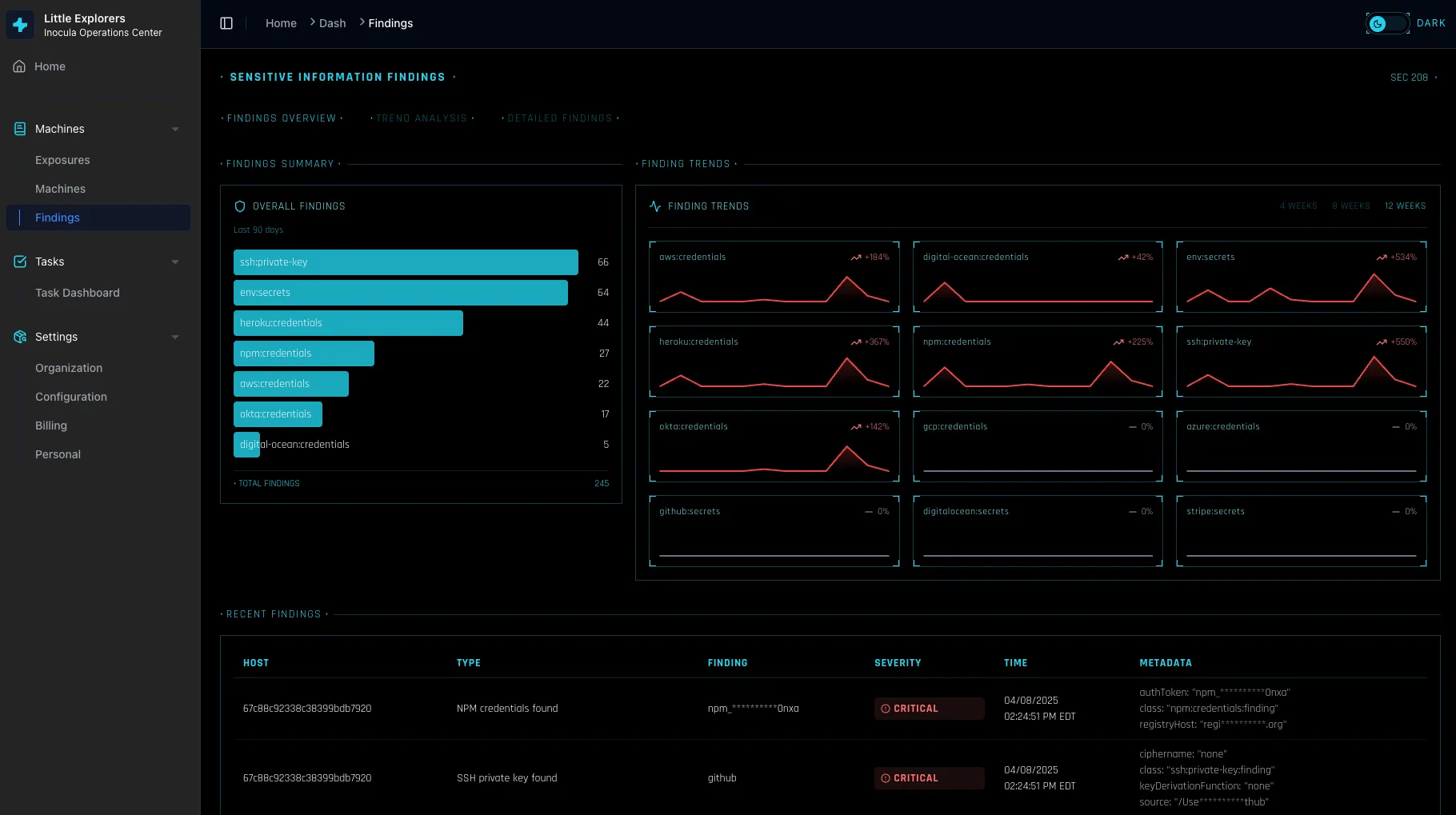
The most common issue we find: credentials and API keys sitting in places they shouldn’t be.
- AWS credentials in
~/.aws/credentialswith no MFA enforcement - GitHub tokens in shell history files
- Database passwords in dotfiles that get synced to cloud backup
- API keys hardcoded in local test scripts
We scan for these patterns and help you clean them up — without breaking the workflows that developers actually need.
SSH key hygiene
SSH keys are the skeleton keys to your infrastructure. We check for:
- Keys without passphrases (the most common issue)
- Keys with overly permissive access that haven’t been rotated
- Keys that are synced to cloud backup services
- Multiple keys for the same service with unclear purposes
When we find issues, we explain the risk in context and help prioritize based on what the key actually has access to.
Git configuration
Git config mistakes can leak sensitive information:
- Email addresses that expose internal naming conventions
- GPG signing disabled on repositories that require it
- Hooks that have been disabled to “make things faster”
- Credentials stored in plaintext by credential helpers
Local development environments
Development servers and containers often run with default configurations that would never be acceptable in production:
- Databases with default passwords
- Services bound to 0.0.0.0 instead of localhost
- Debug modes enabled with verbose error output
- Admin interfaces without authentication
These might seem “just local,” but a compromised developer machine can pivot through these services to reach production.
How we handle this
We scan developer machines through your existing device management — no separate agent required. The findings show up alongside other hardening issues, but tagged specifically as developer-relevant.
For many issues, we can remediate automatically. For others, we provide specific instructions that assume developer-level technical knowledge — no hand-holding explanations of what an SSH key is.
What we don’t do
We’re not going to tell your developers they can’t use the tools they need. The goal isn’t to lock down developer machines until they’re unusable — it’s to find and fix the gaps that create real risk.
We also don’t pretend to have complete visibility into every possible developer tool and configuration. Development environments are too diverse and fast-changing for that. We focus on the patterns that create the most risk across the most common setups.
The tradeoff
Developer security is fundamentally about balancing security against productivity. We help you find that balance by surfacing the issues that matter most, with context about what’s actually at risk, so you can make informed decisions about what to fix and what to accept.
Ready to see what’s lurking on your developers’ machines? Connect your device management and we’ll start scanning immediately.
Stop losing deals to a checkbox
Turn on NovaCove and your prospects get a live, queryable view of your security. Real controls. Evidence that maps to SOC 2 when you're ready. No audit required to close the deal.